> ## Documentation Index
> Fetch the complete documentation index at: https://stackone-hub-docs-confluence-api-token-update.mintlify.site/llms.txt
> Use this file to discover all available pages before exploring further.

# Personio - Custom Integrations

> Follow these steps to connect Personio with StackOne Hub successfully.

<Warning>
  Ensure you have Admin privileges for your Personio account.
</Warning>

If you've been directed to StackOne to integrate with Personio, the following steps will help you understand the process and any necessary actions to configure successful integration.

## Generating your API credentials

<Steps>
  <Step title="Sign in and open Settings">
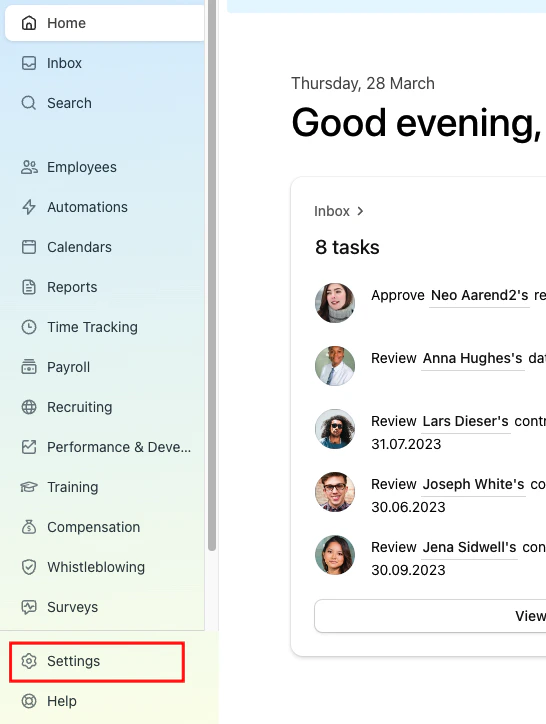
    Sign in to the Personio website and click on the Settings tab on the left-hand side menu.
    <Frame>
      <img className="rounded-md" style={{ margin: '0 auto', border: '1px solid #efefef' }} alt="Settings" src="https://mintcdn.com/stackone-hub-docs-confluence-api-token-update/kA_-fzt7TEYGckYp/images/personio-custom-integrations/image1.png?fit=max&auto=format&n=kA_-fzt7TEYGckYp&q=85&s=50edaaa08144e48cc98c799c677902bd" width="546" height="724" data-path="images/personio-custom-integrations/image1.png" />
    </Frame>
  </Step>

  <Step title="Open API credentials">
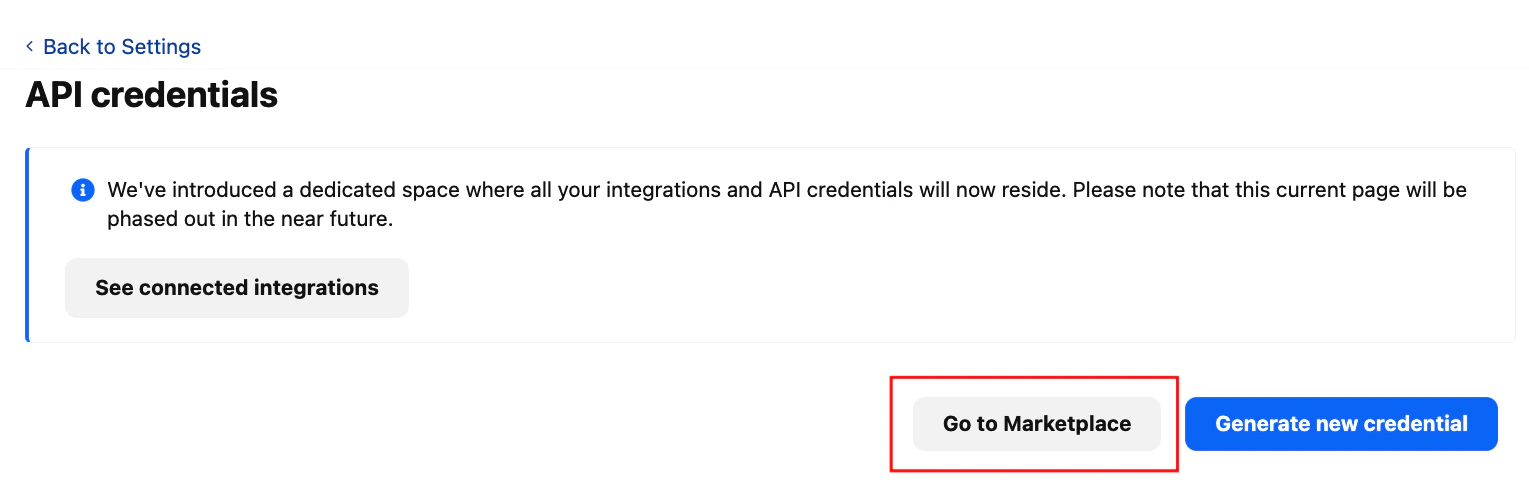
    Click on the API credentials inside the integration box.
    <Frame>
      <img className="rounded-md" style={{ margin: '0 auto', border: '1px solid #efefef' }} alt="API Credentials" src="https://mintcdn.com/stackone-hub-docs-confluence-api-token-update/kA_-fzt7TEYGckYp/images/personio-custom-integrations/image2.png?fit=max&auto=format&n=kA_-fzt7TEYGckYp&q=85&s=24d059271a98a8340571148b299d5997" width="1529" height="503" data-path="images/personio-custom-integrations/image2.png" />
    </Frame>
  </Step>

  <Step title="Go to Marketplace">
    Click on the Go to Marketplace button. It'll direct to the Marketplace page.
    <Frame>
      <img className="rounded-md" style={{ margin: '0 auto', border: '1px solid #efefef' }} alt="Marketplace" src="https://mintcdn.com/stackone-hub-docs-confluence-api-token-update/kA_-fzt7TEYGckYp/images/personio-custom-integrations/image3.png?fit=max&auto=format&n=kA_-fzt7TEYGckYp&q=85&s=764c4e4335cb88bdccc8ef1de590268d" width="1536" height="491" data-path="images/personio-custom-integrations/image3.png" />
    </Frame>
  </Step>

  <Step title="See Connected Integrations">
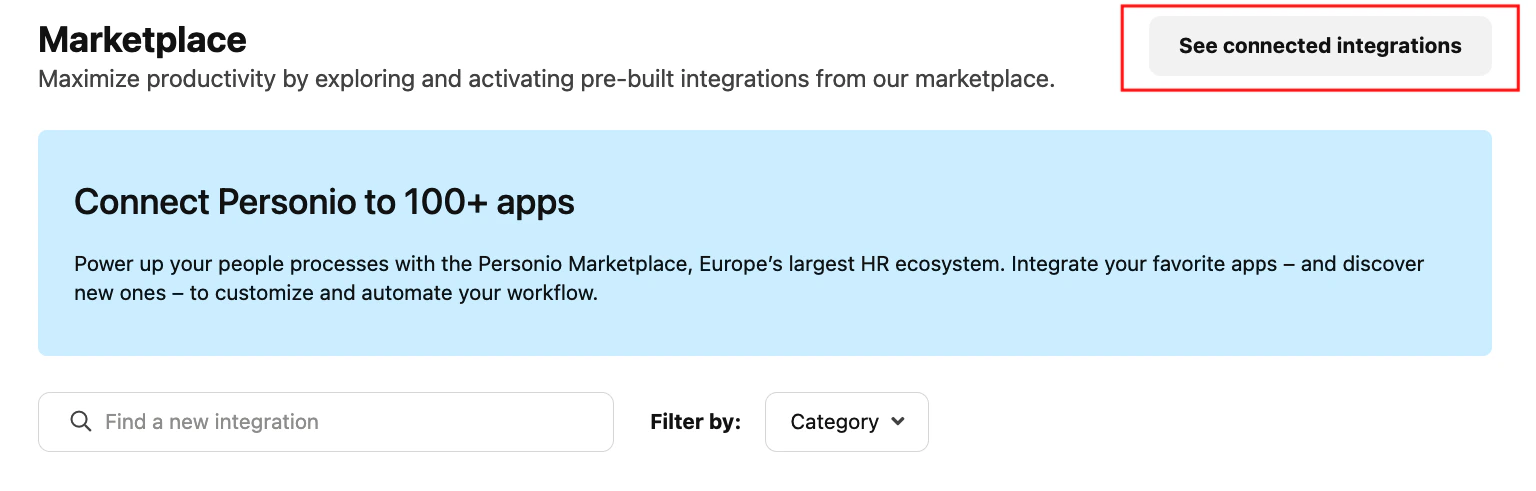
    Click on the See Connected Integrations button. It'll direct to the Connected Integration page. Here, click on the Create Custom Integration button.

    <Frame>
      <img className="rounded-md" style={{ margin: '0 auto', border: '1px solid #efefef' }} alt="Connected Integrations" src="https://mintcdn.com/stackone-hub-docs-confluence-api-token-update/kA_-fzt7TEYGckYp/images/personio-custom-integrations/image4.png?fit=max&auto=format&n=kA_-fzt7TEYGckYp&q=85&s=839293c417cf7acaf2c6682366140d2e" width="1527" height="163" data-path="images/personio-custom-integrations/image4.png" />
    </Frame>
  </Step>

  <Step title="Create Custom Integration">
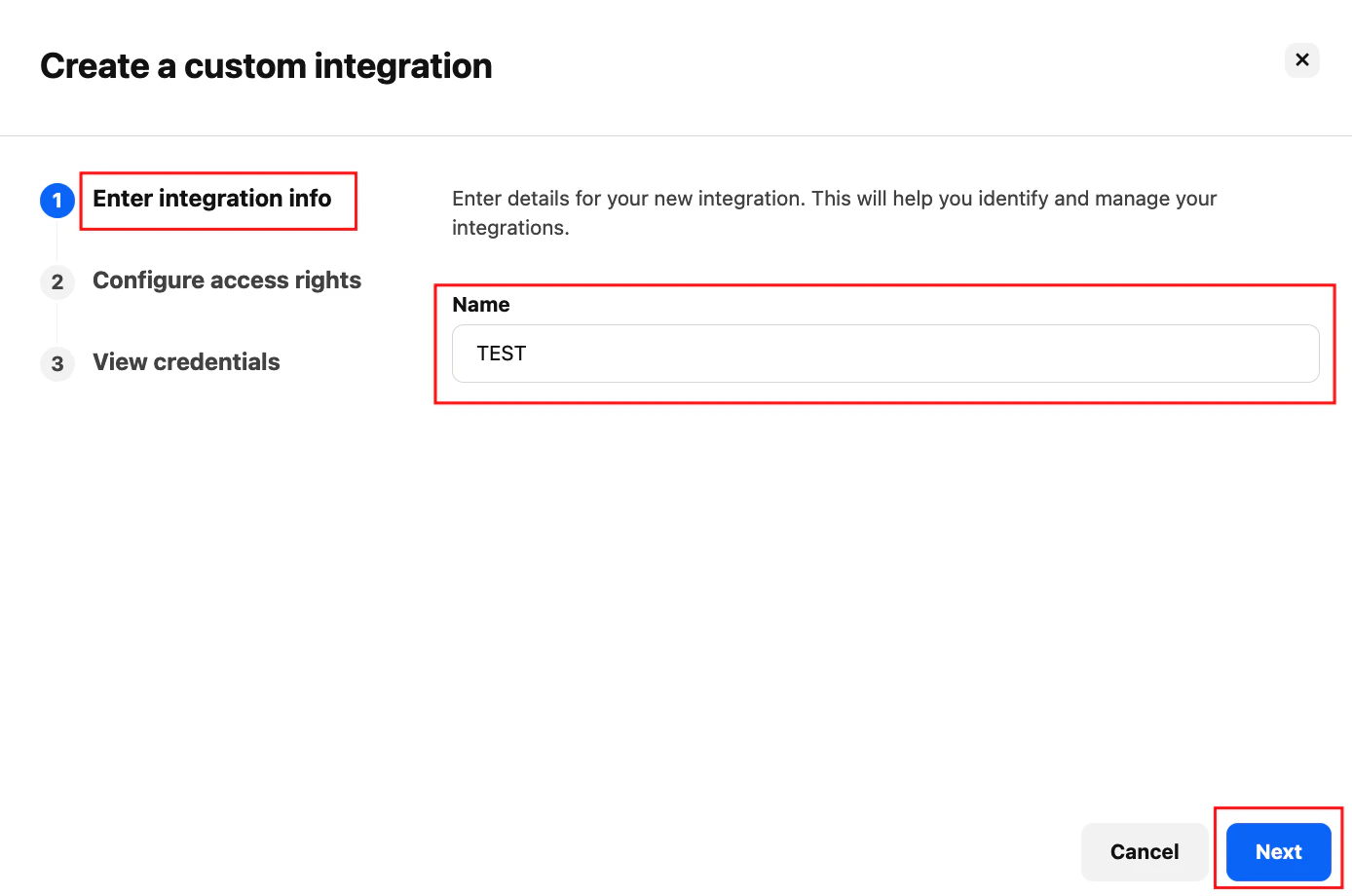
    Write your company name inside the name field, and please make sure your company name is in capital letters and click on Next button.
    <Frame>
      <img className="rounded-md" style={{ margin: '0 auto', border: '1px solid #efefef' }} alt="Custom Integration Name" src="https://mintcdn.com/stackone-hub-docs-confluence-api-token-update/kA_-fzt7TEYGckYp/images/personio-custom-integrations/image5.png?fit=max&auto=format&n=kA_-fzt7TEYGckYp&q=85&s=a22b302fcdbcbce46beafb314fdb402e" width="1388" height="920" data-path="images/personio-custom-integrations/image5.png" />
    </Frame>
  </Step>

  <Step title="Select Permissions">
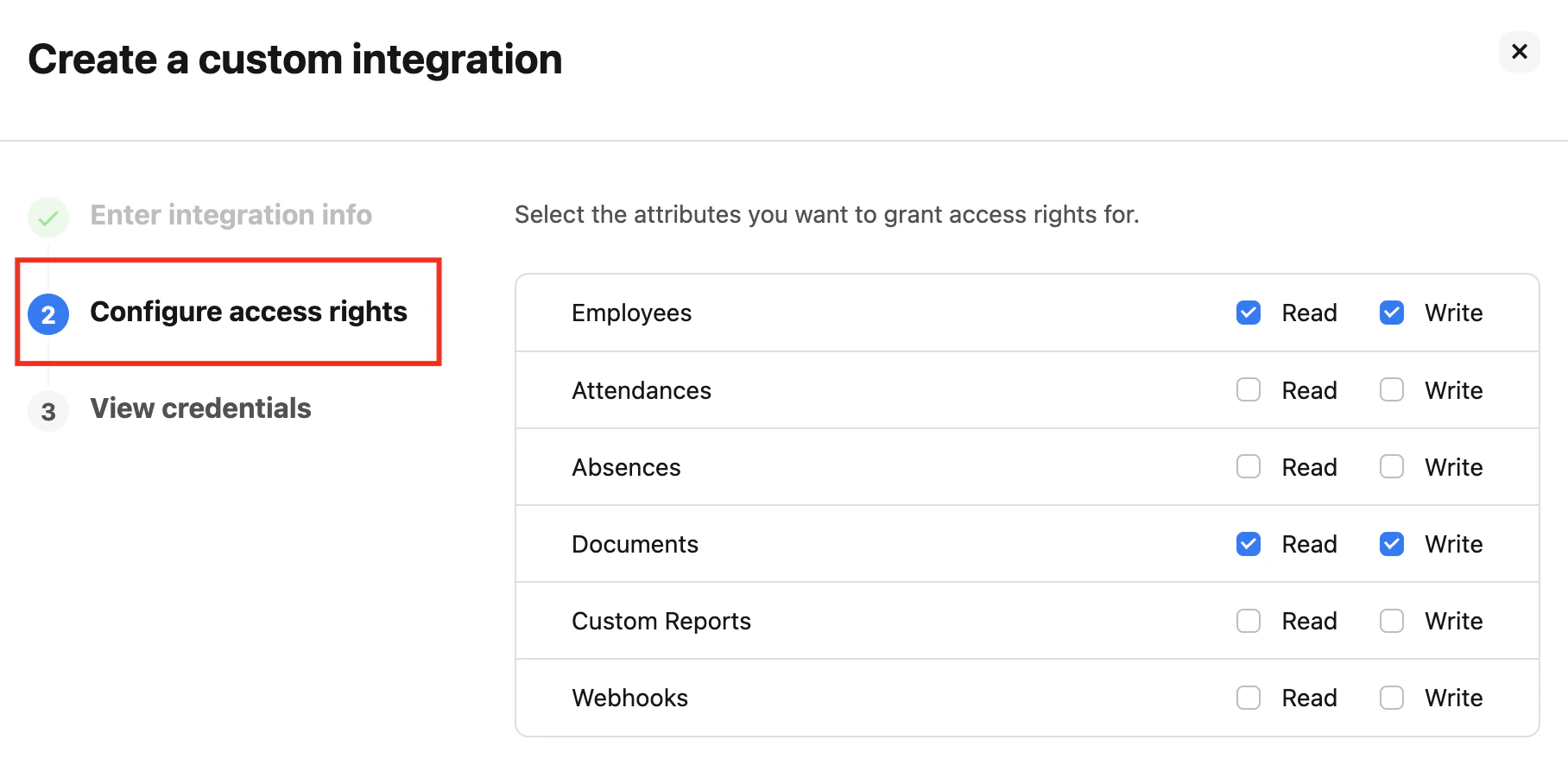
    Select at least one permission to continue; for example, to get Employees data, select Employees or to get Documents data, select Documents too.
    <Frame>
      <img className="rounded-md" style={{ margin: '0 auto', border: '1px solid #efefef' }} alt="Permissions" src="https://mintcdn.com/stackone-hub-docs-confluence-api-token-update/kA_-fzt7TEYGckYp/images/personio-custom-integrations/image6.png?fit=max&auto=format&n=kA_-fzt7TEYGckYp&q=85&s=035516bf45ed07136ed8ff326ee183f5" width="1816" height="886" data-path="images/personio-custom-integrations/image6.png" />
    </Frame>
  </Step>

  <Step title="Choose Attributes">
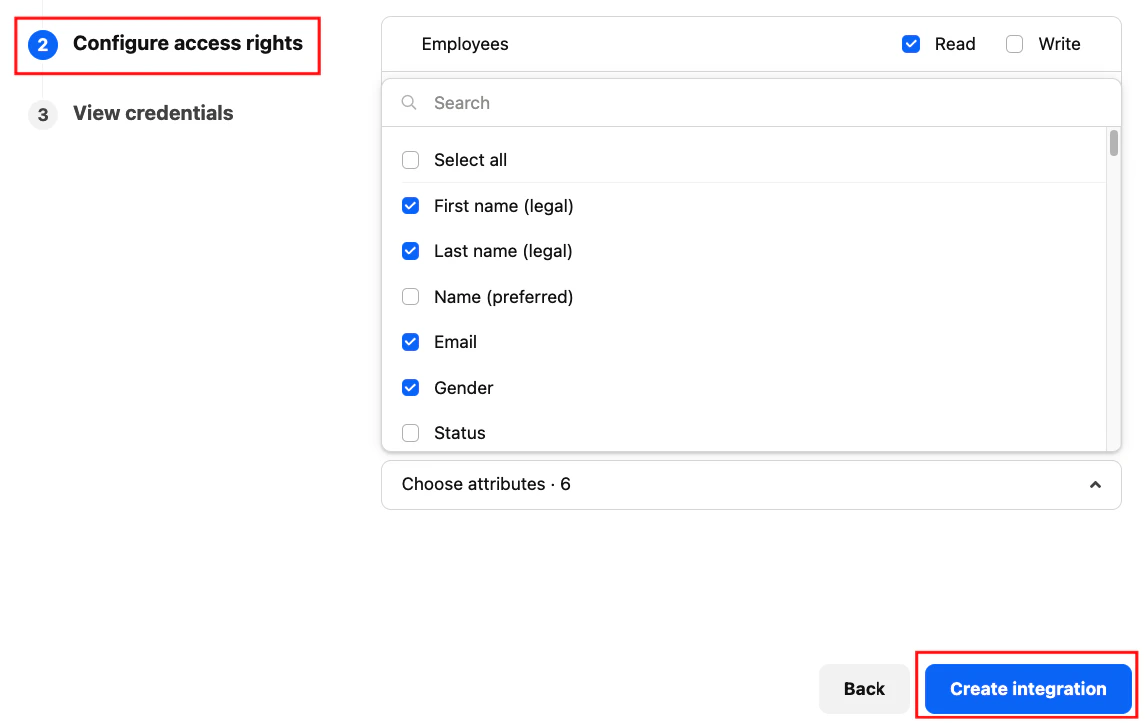
    Click on Choose attributes. Select those attributes you want to show in your data, or select all attributes.
    <Frame>
      <img className="rounded-md" style={{ margin: '0 auto', border: '1px solid #efefef' }} alt="Attributes" src="https://mintcdn.com/stackone-hub-docs-confluence-api-token-update/kA_-fzt7TEYGckYp/images/personio-custom-integrations/image7.png?fit=max&auto=format&n=kA_-fzt7TEYGckYp&q=85&s=b51689fa5a4314951dd503c8ddbd7763" width="1145" height="723" data-path="images/personio-custom-integrations/image7.png" />
    </Frame>
  </Step>

  <Step title="Create Integration">
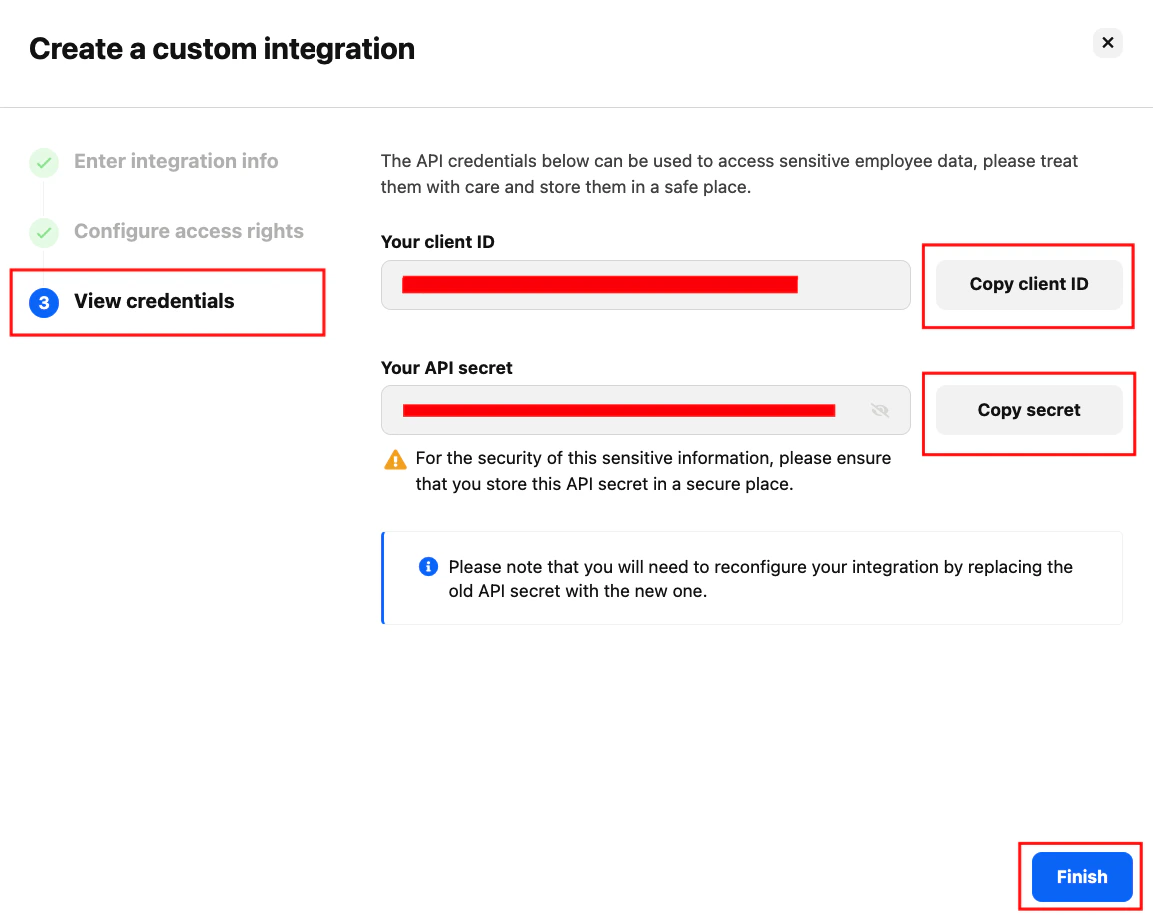
    Click on the Create Integration button. Make sure your credential is generated successfully, then click on the Finish button.
    <Frame>
      <img className="rounded-md" style={{ margin: '0 auto', border: '1px solid #efefef' }} alt="Create Integration" src="https://mintcdn.com/stackone-hub-docs-confluence-api-token-update/kA_-fzt7TEYGckYp/images/personio-custom-integrations/image8.png?fit=max&auto=format&n=kA_-fzt7TEYGckYp&q=85&s=34a685467256b86b7599371f26fea4a3" width="1153" height="915" data-path="images/personio-custom-integrations/image8.png" />
    </Frame>
  </Step>
</Steps>

NOTE: Copy your API credentials – client ID and client secret to a safe place.

## Connecting with StackOne Hub

<Steps>
  <Step title="Enter API Credentials">
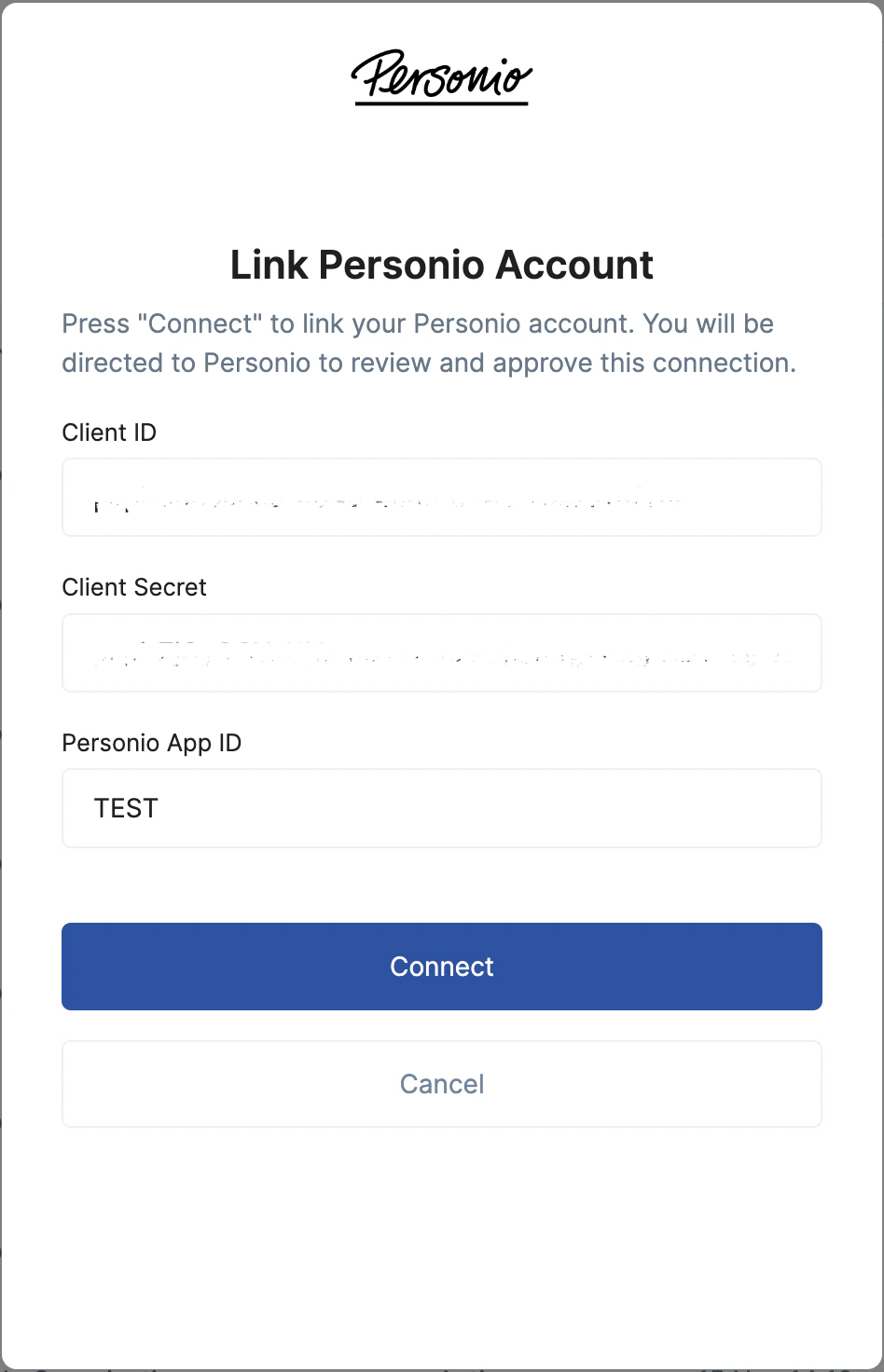
    Paste the API client ID, and client secret in the StackOne Hub after selecting Personio as your HRIS provider.
  </Step>

  <Step title="Enter Company Name">
    Copy your company name from your Personio account, then paste your company name inside the Personio app id; please make sure the name is in capital letters.
    <Frame>
      <img className="rounded-md" style={{ margin: '0 auto', border: '1px solid #efefef' }} alt="Company Name" src="https://mintcdn.com/stackone-hub-docs-confluence-api-token-update/kA_-fzt7TEYGckYp/images/personio-custom-integrations/image9.png?fit=max&auto=format&n=kA_-fzt7TEYGckYp&q=85&s=8c0053d8d2607ec4216294c45532b856" width="948" height="1472" data-path="images/personio-custom-integrations/image9.png" />
    </Frame>
  </Step>
</Steps>

<br />

Congratulations, you're all set! If you face any issues with the steps mentioned above,
please contact us by emailing [integrations@stackone.com](mailto:integrations@stackone.com). We're always here to assist you!
