> ## Documentation Index
> Fetch the complete documentation index at: https://stackone-hub-docs-confluence-api-token-update.mintlify.site/llms.txt
> Use this file to discover all available pages before exploring further.

# Articulate - Reach 360

> Follow these steps to connect Articulate - Reach 360 via the StackOne Hub successfully.

<Warning>
  Ensure that your Articulate - Reach 360 account has Administrator privileges.
</Warning>

If you've been directed to StackOne to integrate with Articulate - Reach 360, the following steps will help you understand the process and any necessary actions to configure a successful integration.

## Log in to Articulate - Reach 360

<Steps>
  <Step title="Log in">
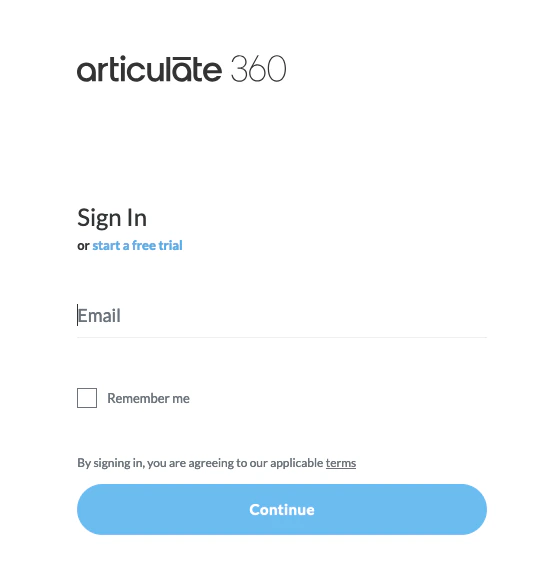
    Log in to your Articulate 360 account at [https://360.articulate.com/](https://360.articulate.com/)
    <Frame>
      <img className="rounded-md" style={{ margin: '0 auto', border: '1px solid #efefef' }} alt="Log in" src="https://mintcdn.com/stackone-hub-docs-confluence-api-token-update/zHY41-o1JHEiZkNS/images/articulate/image1.png?fit=max&auto=format&n=zHY41-o1JHEiZkNS&q=85&s=25bff07d6bf8f2545ac1ccdc6121f163" width="557" height="588" data-path="images/articulate/image1.png" />
    </Frame>
  </Step>

  <Step title="Navigate to Reach 360">
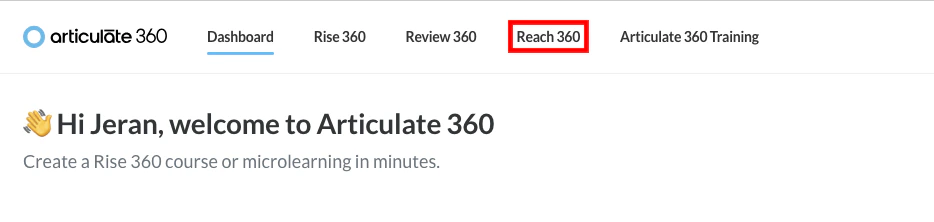
    Click **Reach 360** in the top navigation bar.
    <Frame>
      <img className="rounded-md" style={{ margin: '0 auto', border: '1px solid #efefef' }} alt="Navigate to Reach 360" src="https://mintcdn.com/stackone-hub-docs-confluence-api-token-update/zHY41-o1JHEiZkNS/images/articulate/image2.png?fit=max&auto=format&n=zHY41-o1JHEiZkNS&q=85&s=2bf517ddfdb38d970148b5c22e149958" width="934" height="222" data-path="images/articulate/image2.png" />
    </Frame>
  </Step>
</Steps>

## Create a New API Key

<Steps>
  <Step title="Navigate to API Keys">
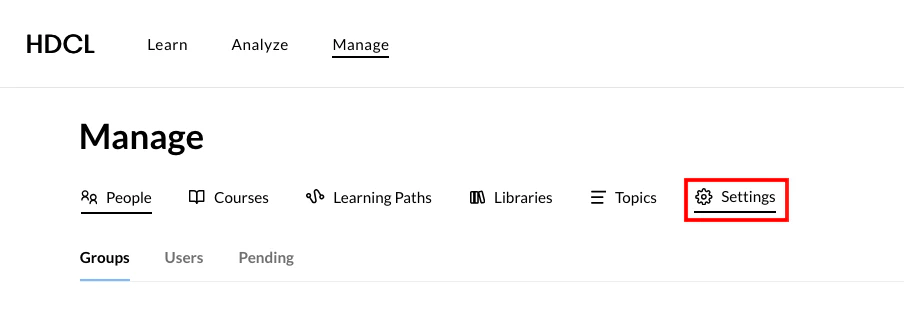
    Under *Manage*, click **Settings**.

    <Frame>
      <img className="rounded-md" style={{ margin: '0 auto', border: '1px solid #efefef' }} alt="Navigate to API Keys1" src="https://mintcdn.com/stackone-hub-docs-confluence-api-token-update/zHY41-o1JHEiZkNS/images/articulate/image3.png?fit=max&auto=format&n=zHY41-o1JHEiZkNS&q=85&s=3aa33fe6f76c647105bbd1ae1c4072ae" width="904" height="330" data-path="images/articulate/image3.png" />
    </Frame>

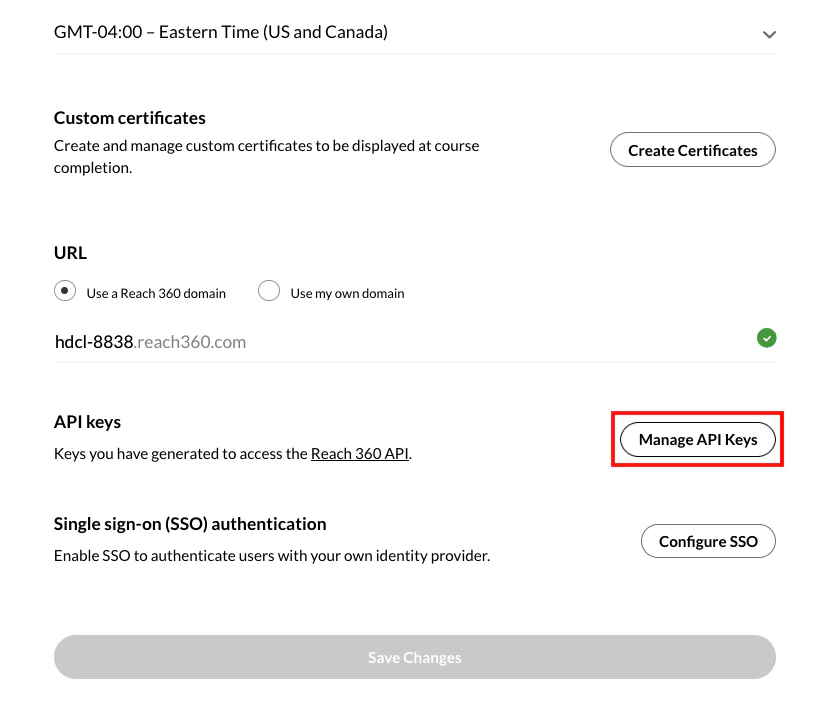
    Under *Settings*, scroll down to *API keys* and click the **Manage API keys** button.
    <Frame>
      <img className="rounded-md" style={{ margin: '0 auto', border: '1px solid #efefef' }} alt="Navigate to API Keys2" src="https://mintcdn.com/stackone-hub-docs-confluence-api-token-update/zHY41-o1JHEiZkNS/images/articulate/image4.png?fit=max&auto=format&n=zHY41-o1JHEiZkNS&q=85&s=30052be3b48c8ba920c9e243abee47c3" width="836" height="707" data-path="images/articulate/image4.png" />
    </Frame>
  </Step>

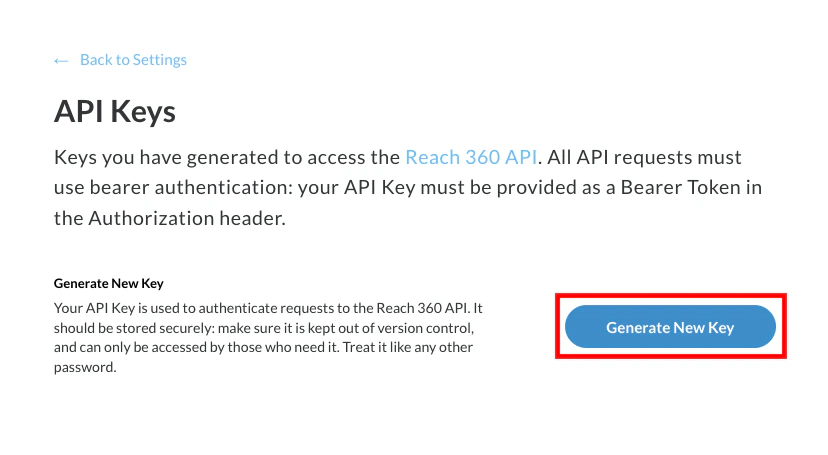
  <Step title="Create New API Key">
    Click the **Generate New Key** button.
    <Frame>
      <img className="rounded-md" style={{ margin: '0 auto', border: '1px solid #efefef' }} alt="Create New API Key" src="https://mintcdn.com/stackone-hub-docs-confluence-api-token-update/zHY41-o1JHEiZkNS/images/articulate/image5.png?fit=max&auto=format&n=zHY41-o1JHEiZkNS&q=85&s=1df8fe9133ad7b9c34b31c592df37cc9" width="828" height="455" data-path="images/articulate/image5.png" />
    </Frame>
  </Step>

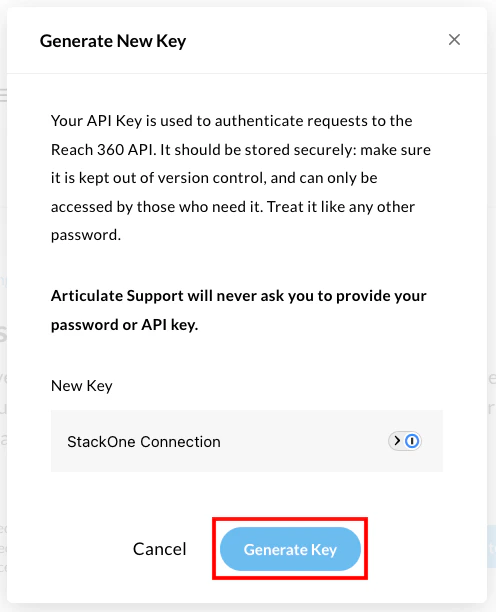
  <Step title="Enter API Key Details">
    Enter a **Name** for this new API Key, then click the **Generate Key** button.
    <Frame>
      <img className="rounded-md" style={{ margin: '0 auto', border: '1px solid #efefef' }} alt="Enter API Key Details" src="https://mintcdn.com/stackone-hub-docs-confluence-api-token-update/zHY41-o1JHEiZkNS/images/articulate/image6.png?fit=max&auto=format&n=zHY41-o1JHEiZkNS&q=85&s=dc7788cf1aa02caa1ee6947f23ebd78b" width="496" height="612" data-path="images/articulate/image6.png" />
    </Frame>
  </Step>

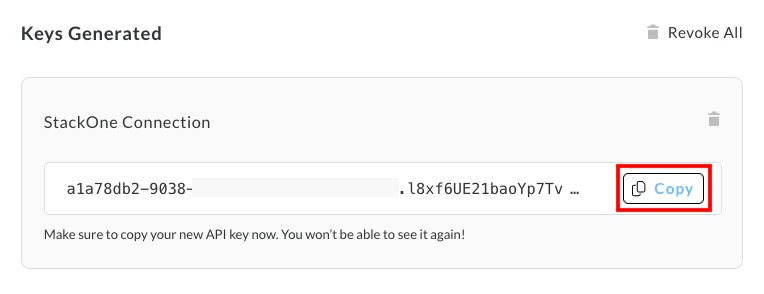
  <Step title="Copy your API Key">
    Your new **API Key** will be displayed under *Keys Generated*.

    Copy this and store it securely to be used in the next step.
    <Frame>
      <img className="rounded-md" style={{ margin: '0 auto', border: '1px solid #efefef' }} alt="Copy your API Key" src="https://mintcdn.com/stackone-hub-docs-confluence-api-token-update/zHY41-o1JHEiZkNS/images/articulate/image7.png?fit=max&auto=format&n=zHY41-o1JHEiZkNS&q=85&s=061600476a1d7f933938f2c10ae3d982" width="764" height="294" data-path="images/articulate/image7.png" />
    </Frame>
  </Step>
</Steps>

## Connecting with StackOne

<Step title="Enter Credentials">
  Upon reaching the Link Account page, enter your **API Key** from the previous step.

  Proceed by clicking the Connect button.
</Step>

<br />

Congratulations, you're all set! If you face any issues with the steps mentioned above,
please contact us by emailing [integrations@stackone.com](mailto:integrations@stackone.com). We're always here to assist you!

## Available data

This integration has the following [IAM Resources](https://docs.stackone.com/reference/getting-started-with-your-api) available from the provider:

<ul>
  <li>Users</li>
  <li>Roles</li>
  <li>Groups</li>
</ul>