Ensure you have Admin privileges for your Render account.
If you’ve been directed to StackOne to integrate with Render, the following steps will help you understand the process and any necessary actions to configure successful integration.

Find your Team ID

1

Sign in to Render

Sign in to your Render account and navigate to Team Settings.
2

Copy your Team ID

Copy the Team ID from your browser’s address bar.The URL follows the format https://dashboard.render.com/teams/{teamId}/settings. For example, if your URL is https://dashboard.render.com/teams/tea-abc123/settings, your Team ID is tea-abc123.

Provide your admin credentials

Use the email address and password of the team admin account when connecting to StackOne.
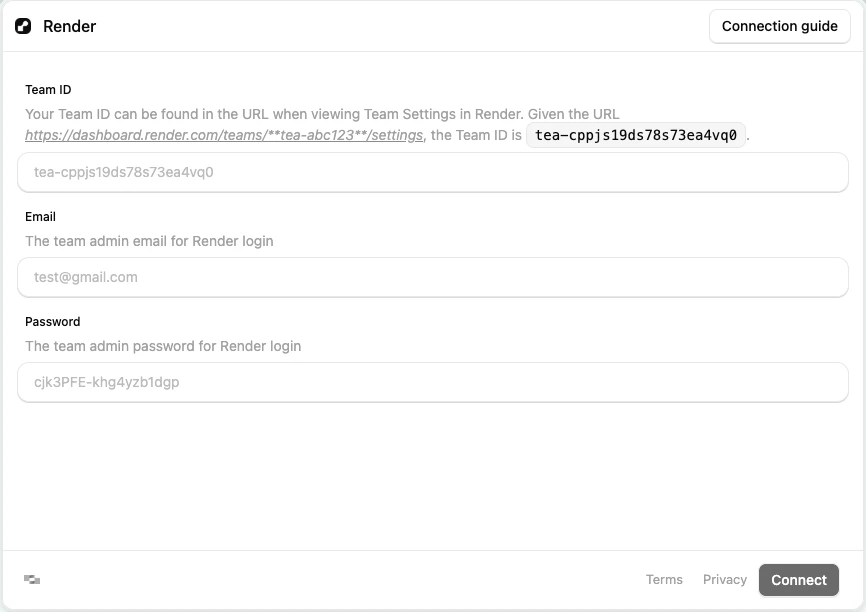
Admin credentials

Congratulations, you’re all set! If you face any issues with the steps mentioned above, please contact us by emailing integrations@stackone.com. We’re always here to assist you!

Available data

This integration has the following IAM Resources available from the provider:
  • Users
  • Roles
  • Groups