> ## Documentation Index
> Fetch the complete documentation index at: https://stackone-hub-docs-confluence-api-token-update.mintlify.site/llms.txt
> Use this file to discover all available pages before exploring further.

# Workday Rejected Reasons Configuration

> To configure the rejected reasons in workday job applications

<Warning>
  This guidance assumes that you have admin privileges for your Workday account.
</Warning>

<Steps>
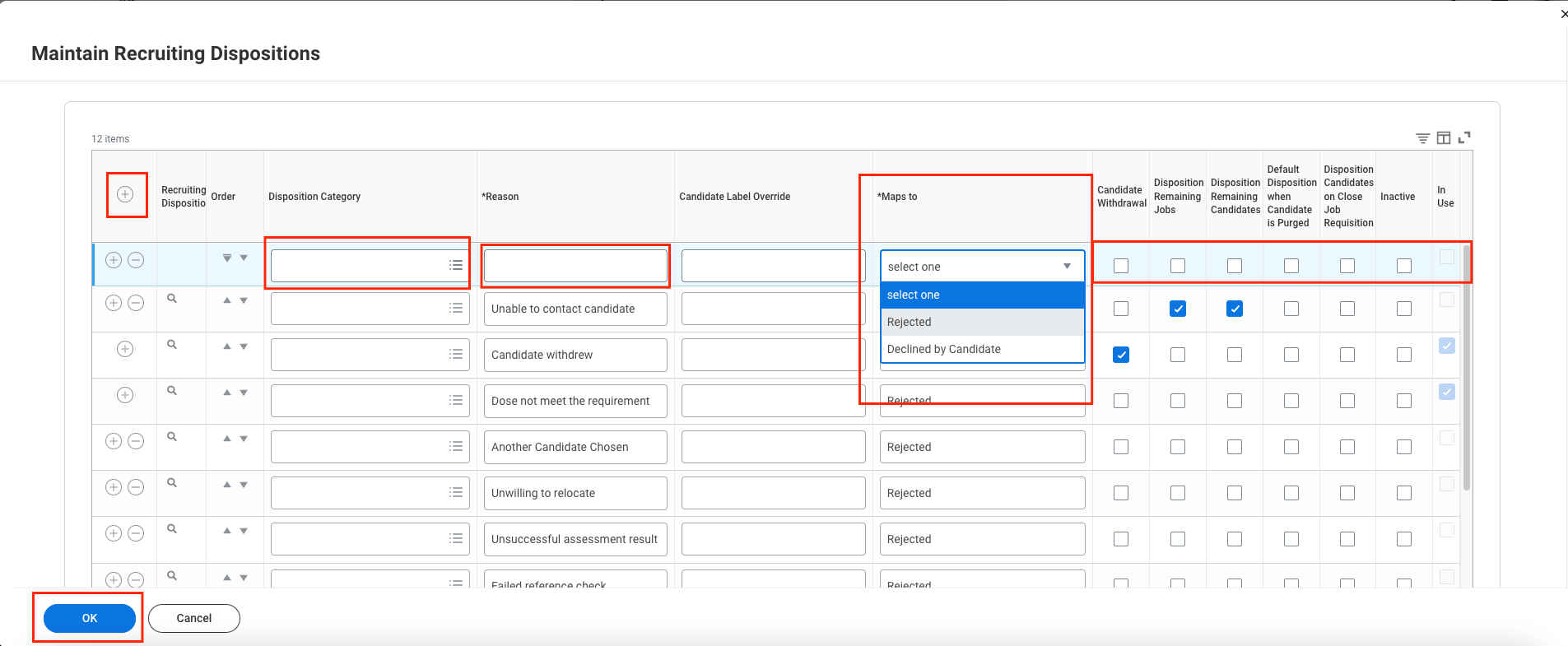
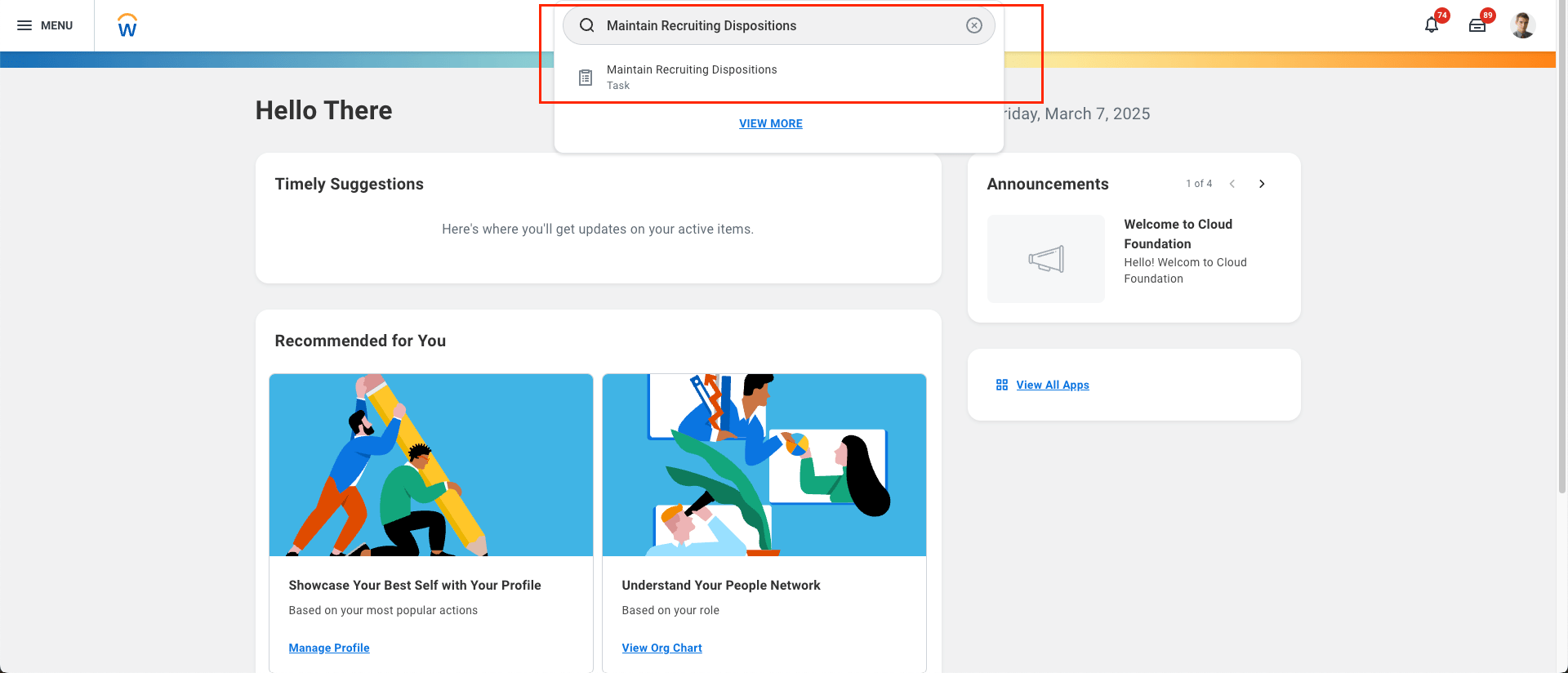
  <Step title="Log in to your Workday account and search for the Maintain Recruiting Dispositions task">
    <Frame>
      <img className="rounded-md" style={{ margin: '0 auto', border: '1px solid #efefef' }} alt="Add Webhook" src="https://mintcdn.com/stackone-hub-docs-confluence-api-token-update/Cmc9v6zkKIhKV8Me/images/workday-rejected-reasons-configuration/workday-reject-1.png?fit=max&auto=format&n=Cmc9v6zkKIhKV8Me&q=85&s=b4bbd1c0472771f0fafc32f0233cef49" width="1920" height="824" data-path="images/workday-rejected-reasons-configuration/workday-reject-1.png" />
    </Frame>
  </Step>

  <Step title="Fill in the required details to add a new Disposition Category (Rejected Reason), then click the OK button.">
    <Frame>
      <img className="rounded-md" style={{ margin: '0 auto', border: '1px solid #efefef' }} alt="Edit Events" src="https://mintcdn.com/stackone-hub-docs-confluence-api-token-update/Cmc9v6zkKIhKV8Me/images/workday-rejected-reasons-configuration/workday-reject-2.png?fit=max&auto=format&n=Cmc9v6zkKIhKV8Me&q=85&s=031935b676e7c5933f0bda51f3e244ae" width="1905" height="785" data-path="images/workday-rejected-reasons-configuration/workday-reject-2.png" />
    </Frame>
  </Step>

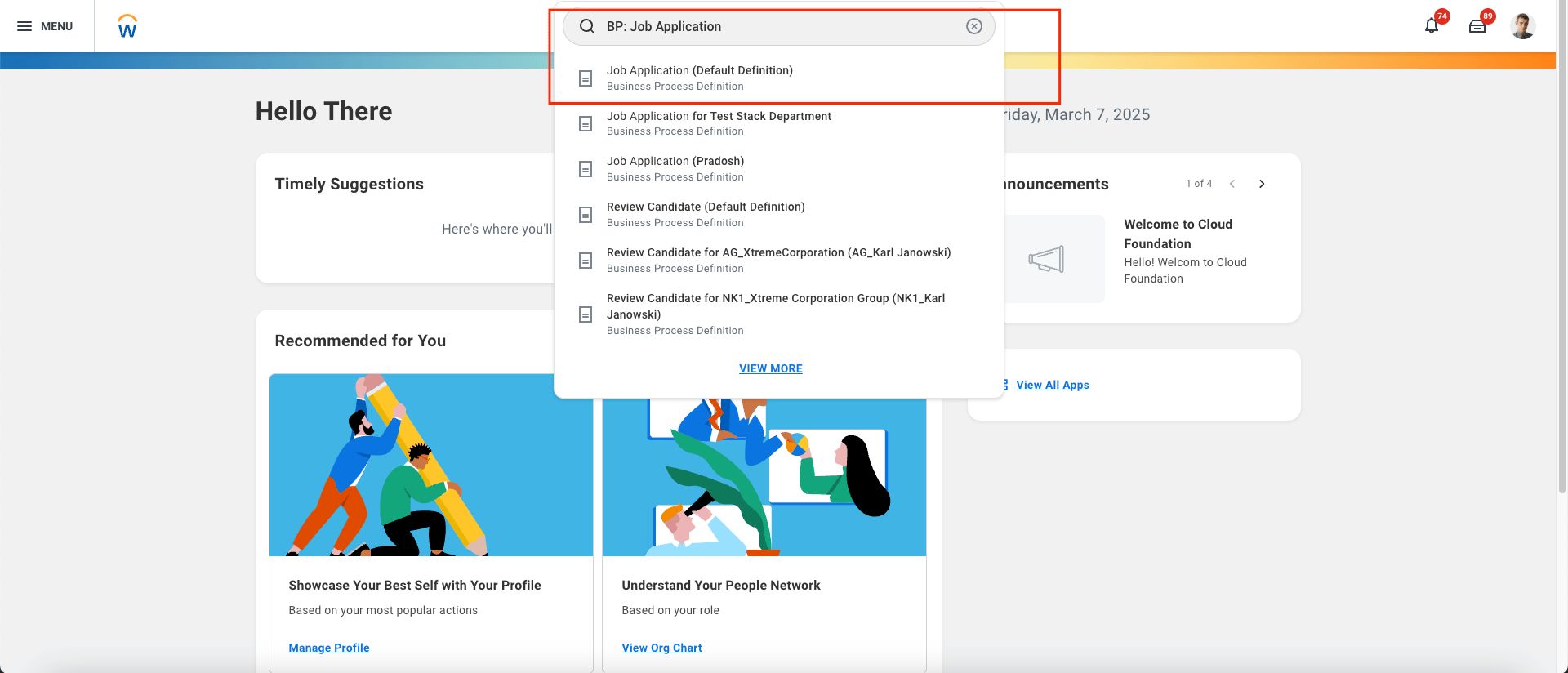
  <Step title="Search for the BP: Job Application task and select Job Application (Default Definition).">
    <Frame>
      <img className="rounded-md" style={{ margin: '0 auto', border: '1px solid #efefef' }} alt="Search IS" src="https://mintcdn.com/stackone-hub-docs-confluence-api-token-update/Cmc9v6zkKIhKV8Me/images/workday-rejected-reasons-configuration/workday-reject-3.png?fit=max&auto=format&n=Cmc9v6zkKIhKV8Me&q=85&s=3125d9b3ad5a5cf5373639012c63dab6" width="1920" height="824" data-path="images/workday-rejected-reasons-configuration/workday-reject-3.png" />
    </Frame>
  </Step>

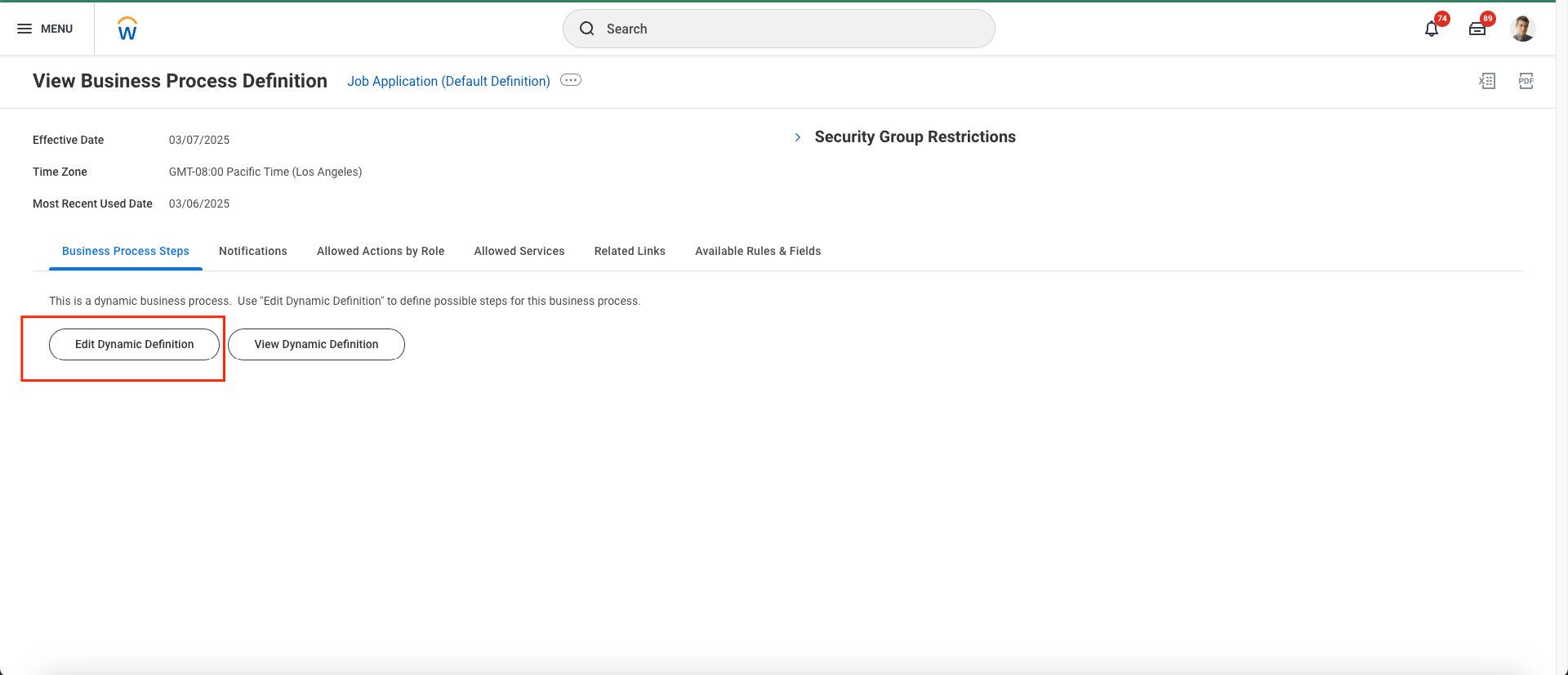
  <Step title="Click on the Edit Dynamic Definition button.">
    <Frame>
      <img className="rounded-md" style={{ margin: '0 auto', border: '1px solid #efefef' }} alt="Endpoint Attribute" src="https://mintcdn.com/stackone-hub-docs-confluence-api-token-update/Cmc9v6zkKIhKV8Me/images/workday-rejected-reasons-configuration/workday-reject-4.png?fit=max&auto=format&n=Cmc9v6zkKIhKV8Me&q=85&s=6b94b934e37cdcf742f34c2fa55ca98e" width="1920" height="826" data-path="images/workday-rejected-reasons-configuration/workday-reject-4.png" />
    </Frame>
  </Step>

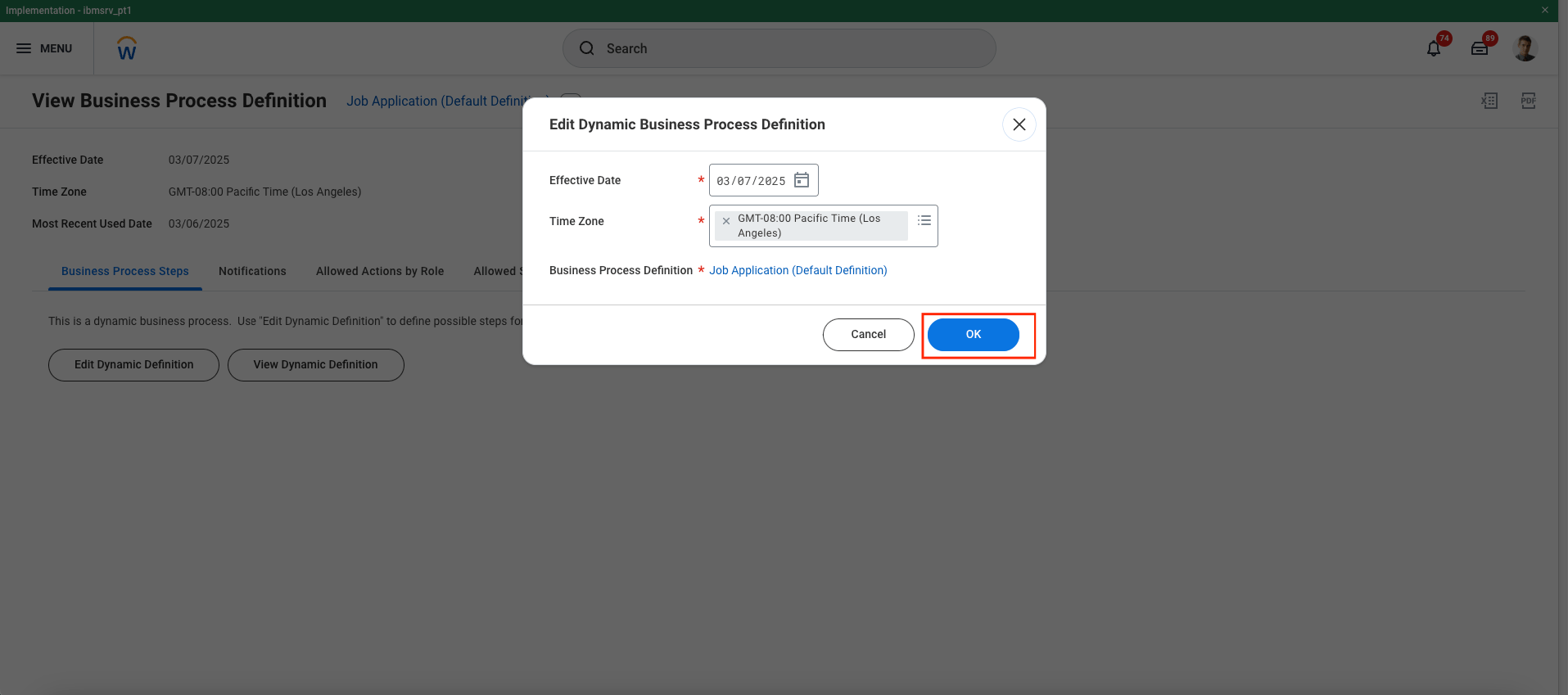
  <Step title="A pop-up will appear. Click the OK button.">
    <Frame>
      <img className="rounded-md" style={{ margin: '0 auto', border: '1px solid #efefef' }} alt="Endpoint Attribute" src="https://mintcdn.com/stackone-hub-docs-confluence-api-token-update/Cmc9v6zkKIhKV8Me/images/workday-rejected-reasons-configuration/workday-reject-5.png?fit=max&auto=format&n=Cmc9v6zkKIhKV8Me&q=85&s=9a9e3fe2eb15c9fc0ba040907488c22b" width="1915" height="849" data-path="images/workday-rejected-reasons-configuration/workday-reject-5.png" />
    </Frame>
  </Step>

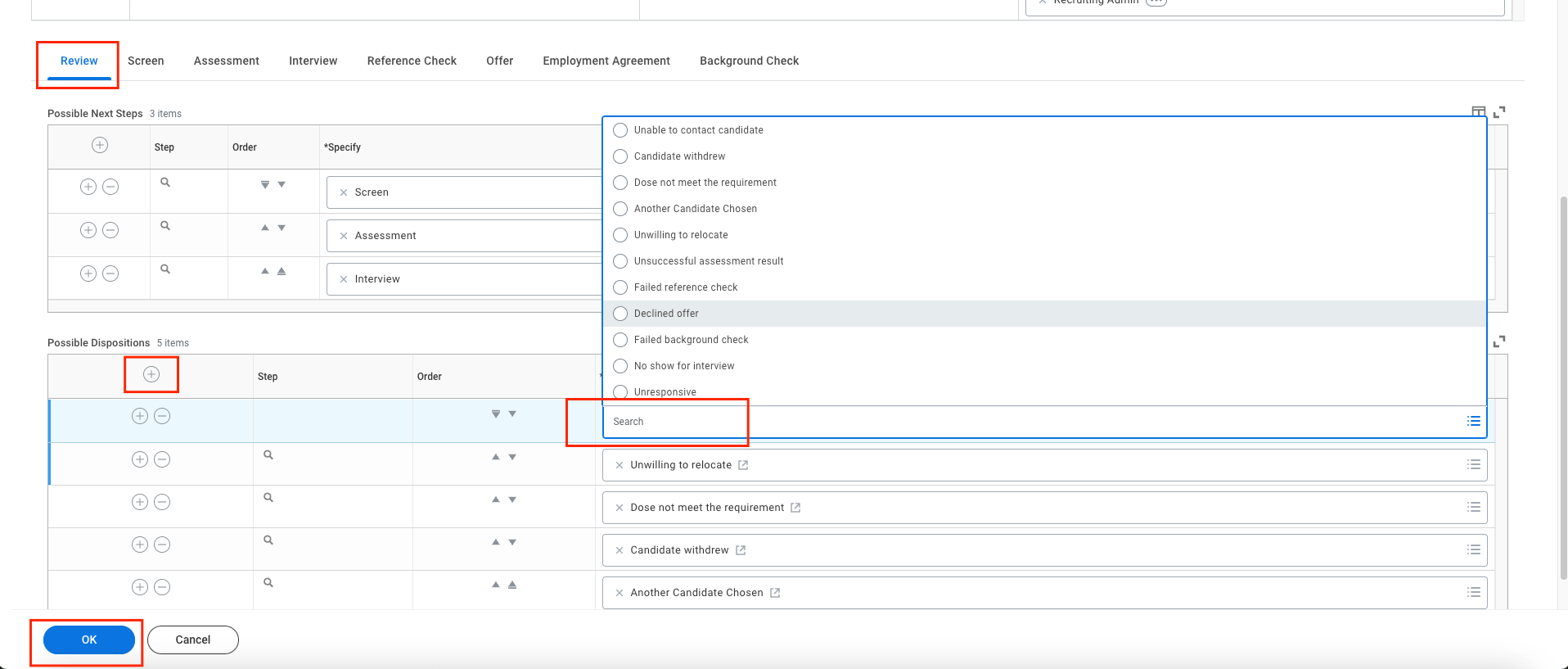
  <Step title="Select the stage, add a new row by clicking the + icon, choose the possible disposition for the chosen stage of the application, and click the OK button.">
    <Frame>
      <img className="rounded-md" style={{ margin: '0 auto', border: '1px solid #efefef' }} alt="Endpoint Attribute" src="https://mintcdn.com/stackone-hub-docs-confluence-api-token-update/Cmc9v6zkKIhKV8Me/images/workday-rejected-reasons-configuration/workday-reject-6.png?fit=max&auto=format&n=Cmc9v6zkKIhKV8Me&q=85&s=b5afa54712f9bf10a58e23feb08c5b40" width="1916" height="817" data-path="images/workday-rejected-reasons-configuration/workday-reject-6.png" />
    </Frame>
  </Step>

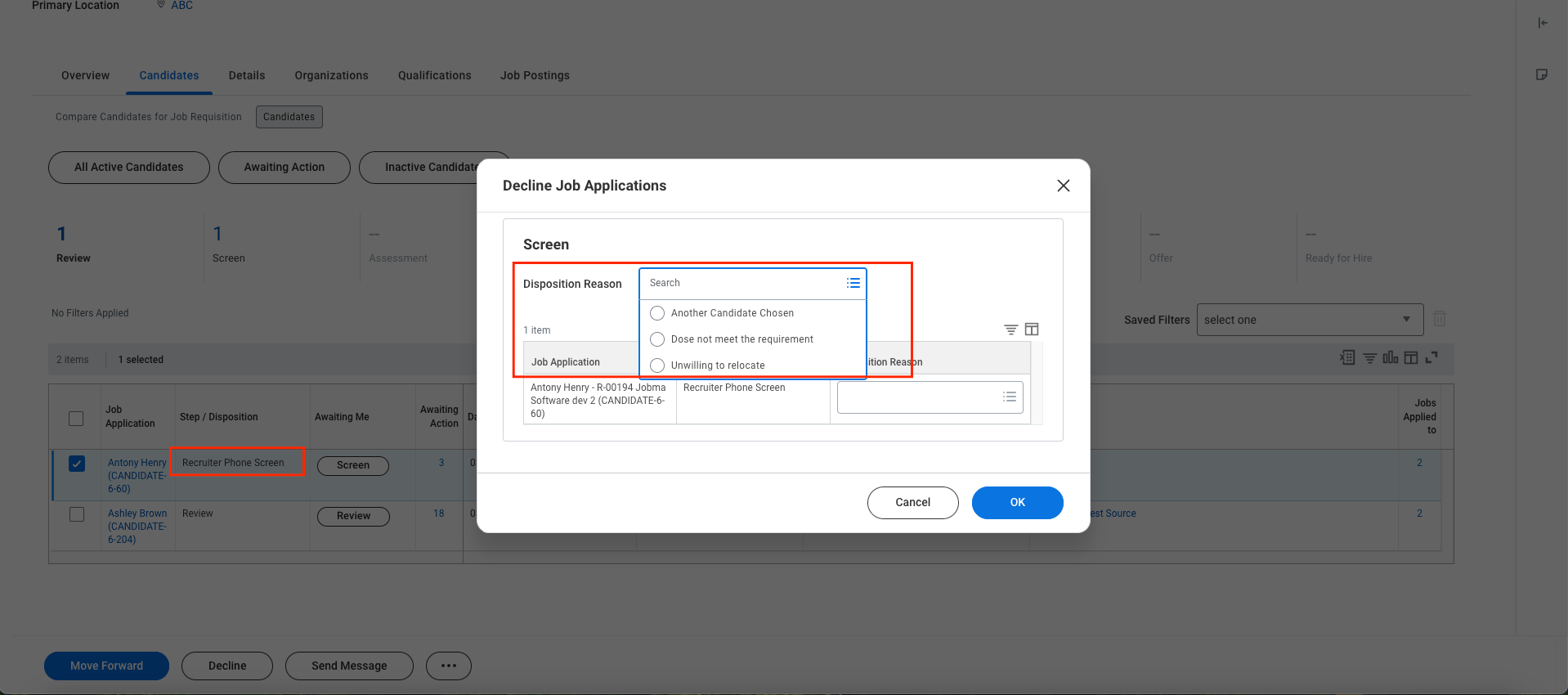
  <Step title="When you decline a candidate from any stage, you will see the dispositions/rejected reasons that are configured for that specific stage.">
    <Frame>
      <img className="rounded-md" style={{ margin: '0 auto', border: '1px solid #efefef' }} alt="Endpoint Attribute" src="https://mintcdn.com/stackone-hub-docs-confluence-api-token-update/Cmc9v6zkKIhKV8Me/images/workday-rejected-reasons-configuration/workday-reject-7.png?fit=max&auto=format&n=Cmc9v6zkKIhKV8Me&q=85&s=a2c8f0d306f4c7c66e4e0f803edd0309" width="1918" height="850" data-path="images/workday-rejected-reasons-configuration/workday-reject-7.png" />
    </Frame>
  </Step>
</Steps>